Getting Started with Ragdoll Physics 2
Join a server, learn the menus, run your first experiments, and know when to open Doctor Mode.
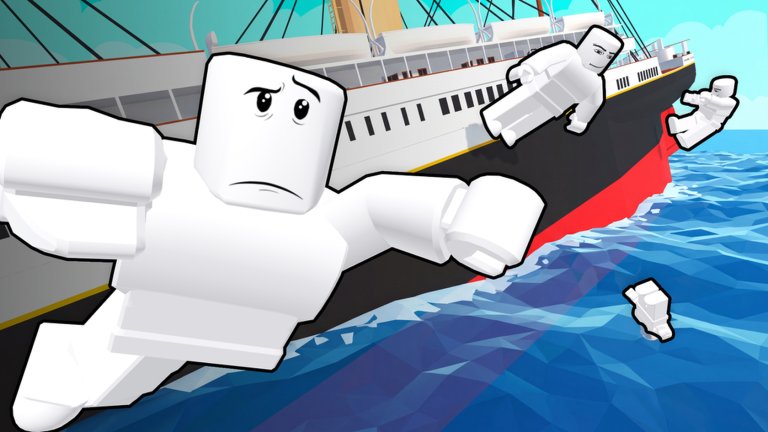
Ragdoll Physics 2 by Woof Industries Inc. is a free Roblox physics sandbox built for chaotic multiplayer experiments. Servers hold up to 21 players. You get a huge arsenal, dozens of vehicles, a medical triage loop, wars with AI police, Creative Mode, Workshop builds, and Missions. This guide gets you from first join to a confident first hour without inventing codes or fake systems.
If you only need a map of every tutorial on this wiki, start from the Guides Hub. For live patch notes, keep Updates bookmarked. There are no active redeem codes right now — see the Codes page for how that is tracked so you do not waste time hunting a missing redeem UI.
Join the experience
Open Roblox and go to the official place Ragdoll Physics 2, or use the Play link from this wiki. Prefer a server with open slots so you can practice without fighting twenty people for the same dummy pile. After load-in you spawn on one of the available maps with access to the core menus that drive almost everything else.
Take ten seconds to orient. Look for the on-screen buttons or panels that open weapons, sandbox / Creative tools, shop or unlock surfaces, maps / scenarios, and any mission or Workshop entry points the current build exposes. Names can shift slightly after large patches (for example the late October controller and map-editor work, the early November Sea Update / free weapons rework, and the mid-November Missions & Workshop drop), but the pattern is consistent: pick tools → pick a space → run a test → reset or revive.
First spawn checklist
- Confirm you can move, look, and jump on your device. If inputs feel wrong, open the dedicated Controls guide before blaming the physics.
- Open the weapons or inventory surface and equip something simple — a basic firearm or melee — so you learn fire, reload, and put-away without juggling a minigun on minute one.
- Find a safe flat area or a crash-test style zone away from an active war if other players are already fighting.
- Fire a few shots into a wall, dummy, or empty space. Watch how ragdolls, debris, and breakable props react. That feedback loop is the point of the game.
- Locate revive / medical actions early. Ragdoll Physics 2 leans hard into injury simulation; knowing how to get yourself or a friend upright saves the session.
How the UI is organized
Treat the main panels as four lanes:
- Weapons — firearms, explosives, melee, and special tools such as the physics gun and tool gun. There are 140+ weapons after the free-weapons / rework wave. Browse categories instead of scrolling aimlessly; snipers, shotguns, miniguns, flamethrowers, rockets, swords, axes, and grenades all behave differently on soft bodies.
- Sandbox / Creative — spawn props, toggle gravity or slow motion style options when available, and build scenes. Full Creative Mode, Spawn Menu, and Workshop flow are covered in Sandbox & Creative Mode.
- Shop / unlocks — cosmetic or progression surfaces that appear in the current build. Do not confuse these with promo codes; this title is not running an active code list.
- Maps & scenarios — jump between the 16 maps, war setups, police scenarios, and mission entries. Map choice changes what you can break and how much room you have. See Maps before you commit to a demolition yard crusher test next to a skyscraper war.
Missions and Workshop builds sit beside pure sandbox play. If a friend drops a Workshop creation, load it after you understand basic movement and revive — otherwise you will spend the whole session stuck in someone else’s gravity trap.
First experiments that teach the physics
Start small. Drop a vehicle from the 60+ roster onto a ramp, then try the same vehicle into a breakable building. Compare a shotgun blast to a sniper shot on a dummy that takes cover. Toss a grenade under a wrecking-ball style prop if you are on a demolition map. The game draws inspiration from Garry’s Mod, Arma 3, and People Playground; the fun is in controlled chaos, not only random spam.
When a test kills you or a friend, practice revive immediately. Many players bind revive to a convenient key (often R on PC — confirm on your build in Controls). After revive, open Doctor Mode if the victim still shows bad vitals. Pulse, oxygen, bandages, splints, and the defibrillator matter when you want longer fight chains instead of endless respawn loops. The full triage workflow lives in Doctor Mode.
When to open Doctor Mode
Open Doctor Mode when:
- Someone is down but still worth saving for a continued war or cinematic scene.
- You are designing weapon tests and need to see which limbs or vitals a loadout actually breaks.
- You are teaching newer players that injuries are part of the sandbox, not just a death screen.
Skip Doctor Mode when you are purely farming funny ragdoll clips and everyone is fine with instant respawns. Knowing the difference keeps medical tools from feeling like busywork.
Wars, AI police, and other players
Wars and AI police scenarios load dummies and bots that take cover, flank, and throw grenades. Customize loadouts before you dive in so you are not stuck with a melee starter against a squad with rockets. Treat other humans as collaborators first: many servers mix creative builders with combat players. If you want community context, creators, or notable players, browse Players. Script-related pages exist under Scripts for people who research client tools elsewhere — keep experiments fair and follow Roblox rules.
What to read next
- Weapons — categories, free weapons from the November rework, vehicles as force multipliers, limb-specific hit tips.
- Maps — which of the 16 maps fit crash tests, wars, or creative builds, plus map editor notes.
- Sandbox & Creative Mode — Spawn Menu, Workshop sharing, Missions, and scene toggles.
- Tier List — opinionated rankings once you have tried enough gear to care.
- Updates — Sea Update, Missions & Workshop, controller support, Sabers event timing, and anything that changes menus.
Your goal after this page is simple: spawn, equip one weapon, break one thing on purpose, revive once, and open Doctor Mode once. After that loop feels natural, the rest of the wiki is reference — not a wall of confusion.
Practical first-hour route
Minute 0–5: movement and camera. Minute 5–15: one firearm, one explosive, one melee swing. Minute 15–25: one vehicle hop and one destructible building. Minute 25–40: a short war or police scenario with a friend watching your back. Minute 40–60: Creative or Workshop dabble, then a deliberate Doctor Mode save. That pacing beats dumping the entire arsenal into the void and quitting because nothing felt readable.
Stay curious, reset often, and use this wiki’s internal links instead of guessing menu names after every patch.
Frequently Asked Questions
Quick answers to the most common questions.
Is Ragdoll Physics 2 free to play?
Yes. It is a free Roblox experience by Woof Industries Inc. Some cosmetics or unlock surfaces may exist in-game, but you can join and play the core sandbox without paying.
Are there working redeem codes?
No active redeem codes are listed right now. Do not invent codes. Check the Codes hub on this wiki whenever that status changes.
What should I do in my first ten minutes?
Learn movement, equip a simple weapon, run one small destruction test, then practice revive. Open Doctor Mode only after you understand basic downed states.
How big are the servers?
Servers support up to 21 players. Pick quieter servers for learning and fuller ones for wars or chaotic creative sessions.
Where do I go after this beginner guide?
Read Controls, then Doctor Mode or Weapons depending on whether you care more about triage or loadouts. Use Maps and Sandbox & Creative Mode when you start designing scenes.