Ragdoll Physics 2 Missions & Workshop Sharing
Structured objectives, community Workshop drops, and how Creative Mode feeds both.
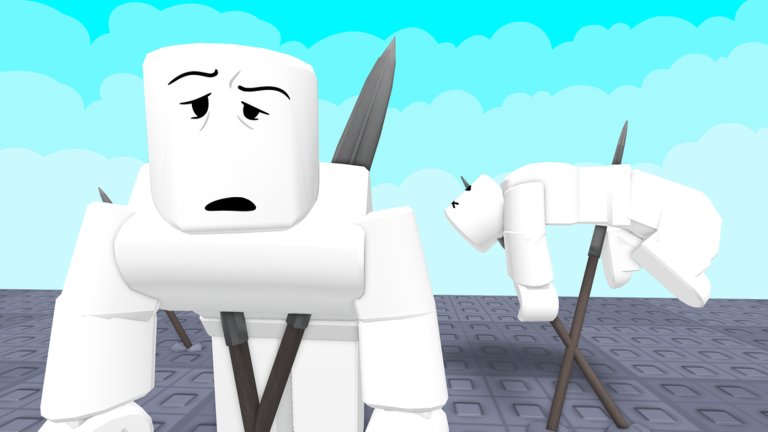
On 10 November 2026, Woof Industries Inc. shipped Missions and Workshop support for Ragdoll Physics 2, giving the free Roblox physics sandbox a second gear beside pure freeplay. You can still dump 140+ weapons and 60+ vehicles onto 16 maps for chaos—but Missions add objectives, pacing, and reasons to use Doctor mode tools instead of only nukes, while Workshop lets creators share the scenes they built in Creative Mode and the map editor.
This guide explains how to play developer and community Missions, how Workshop sharing fits the fantasy, how attachments and staged armories work as ideas (even when the base game is not a hardcore gunsmithing sim), and how everything ties back to Creative Mode. Pair it with Sandbox & Creative Mode, the Updates Hub, November 2026, and Maps.
Why Missions exist
Sandbox fatigue is real. After enough unstructured wars, players want a prompt: hold the lab, escort a convoy, clear AI police with a constrained loadout, or finish a triage chain before the timer. Missions package that prompt so a 21-player server can share a goal without writing a novel in chat every night.
Missions also showcase systems that make Ragdoll Physics 2 distinct:
- Ballistic wounds and pulse / oxygen readouts (Doctor Mode).
- AI police with loadout customization (Wars & AI Police).
- Weather and map editor pieces from late October.
- Vehicles as mission-critical mobility (Vehicles).
- Event toys (Sabers / Clankers windows) as optional modifiers, not the whole identity.
If you only ever freeplay, you still have a complete game. Missions are the authored layer when you want structure.
Playing Missions: practical loop
- Read the objective before equipping a meme-only flamethrower kit.
- Pick roles if you are in a group—assault, medic, driver, demo—same discipline as wars.
- Bring medical tools. Authored fights still produce fractures and oxygen crises.
- Use map knowledge. Sniper towers, demolition props, and tight interiors change the plan (Maps).
- Fail forward. After a wipe, note the hard encounter, then rebuild it in Creative for practice.
- Reset etiquette. Do not grief other squads mid-objective on public servers (Players Hub).
Controller players should confirm prompts after the late October gamepad support update so Mission UI is not a second boss fight (Controls).
Developer Missions versus community Missions
Developer Missions (when exposed in the current build) teach the fantasy Woof Industries wants highlighted: medical chaos, police pressure, destruction set pieces, and sandbox toys used with intent. Treat them as the onboarding rail after Getting Started.
Community Missions arrive through Workshop culture: creators publish scenarios, layouts, and objective scripts that depend on the mid-November sharing tools. Practical advice:
- Check which patch the Mission expects (post–SEA weapons rework? post–map editor?).
- Prefer Missions with labeled spawns and clear fail states.
- Credit authors when you remix.
- Retest favorites after major drops chronicled on Updates.
Community quality varies. A great Mission feels like a short film with checkpoints. A weak one is a prop pile with a vague “survive” note. Vote with your feet and leave constructive feedback.
Workshop sharing workflow
Workshop is how Creative Mode leaves your private brain and enters someone else’s server. A clean pipeline:
- Prototype small in Creative Mode / Spawn Menu—one clinic, one range, one ambush street.
- Stress test with vehicles and a few friends on a 21-player-ready layout.
- Add medical nets—revive lanes, bandage crates, obvious defib spots.
- Label spawns so visitors know where not to stand under a wrecking ball.
- Publish through Workshop flows highlighted in the November 10 update.
- Version when the SEA free-weapons rework or later patches rename tools your prefabs need.
Map editor work from late October feeds the same pipeline: edit a block, dress it with weather, then wrap it as a Mission or Workshop explore space. Details on building habits live in Sandbox & Creative Mode.
Workshop attachments and staged loadout ideas
Think of “attachments” broadly: not only rail gadgets, but any Workshop-authored gear fantasy that guides players.
Ideas that work well:
- Armory rooms with signs pointing newcomers toward shotgun + bandage + splint starters.
- Range lanes with distance markers for sniper practice after the weapons rework.
- Police kit racks preset for AI police loadout nights.
- Vehicle bays that teach which of the 60+ rides fit escort Missions.
- Event shelves for Sabers-week melee toys with a panic firearm beside them.
These setups help when the base game is a chaos sandbox rather than a deep attachment gunsmith. You are designing onboarding and cinematography, not claiming fake official mods. Keep ToS-safe: Workshop props and Missions are not a substitute for risky executors (Scripts Hub).
How Missions tie to Creative Mode
Creative Mode is the sketchbook; Missions are the published short story; Workshop is the library.
| Phase | Tool | Goal |
|---|---|---|
| Sketch | Creative Mode + Spawn Menu | Place props, tune gravity/slow-mo, try weather |
| Layout | Map editor | Shape lanes beyond stock 16 maps |
| Rehearse | Friends + dummies | Cover, flanks, grenades, vehicle paths |
| Author | Mission objectives | Give players a win/fail condition |
| Share | Workshop | Let other servers run your scene |
If a Mission feels unfair, recreate the encounter in Creative, isolate the enemy mix, and practice. That loop is healthier than installing shady “mission unlock” scripts—and there are still no active redeem codes for Mission shortcuts as of November 2026 (Codes, How to Redeem).
Co-op tips for Mission nights
- Cap spectacle tools until the objective is understood.
- Assign one player as caller; 21 voices without a lead becomes static.
- Park vehicles off the objective circle so medics can work.
- Rotate maps between attempts so demolition debris does not brick the next run.
- After success, spend ten minutes on freeplay war using the same loadouts—transfer learning into Wars & AI Police habits.
What to try after the November 10 drop
- Run one developer-facing Mission with a medic in the party.
- Browse Workshop for a small range or clinic and stress it with a vehicle.
- Prototype your own two-room Mission idea in Creative.
- Skim November 2026 so you know how Missions sit after SEA UPDATE and before Sabers / Clankers event noise.
- Teach one friend using links to this page and the Guides Hub.
Related pages
- Sandbox & Creative Mode — Spawn Menu, toggles, build etiquette.
- Updates Hub — patch timeline including Missions & Workshop.
- November 2026 — deep chronicle of the month’s drops.
- Maps — choosing spaces for authored fights.
- Wars & AI Police — combat structure when Missions include factions or police.
- Vehicles — mobility for escort-style objectives.
- Guides Hub — full tutorial index.
Play a Mission when you want a plot. Build in Creative when you want a laboratory. Publish on Workshop when the take is good enough that strangers deserve a spawn point that is not already on fire.
Frequently Asked Questions
Quick answers to the most common questions.
When did Missions and Workshop arrive?
Woof Industries highlighted Missions and Workshop support around 10 November 2026, after late October creation tools and the early November SEA weapons rework.
Do Missions replace Creative Mode?
No. Creative Mode remains the sketchbook. Missions add objectives; Workshop shares finished scenes. Use all three together.
How should a squad prepare for a Mission?
Read objectives, assign roles including a medic, bring sensible weapons and a vehicle if the map is large, and agree on nuke limits until the goal is clear.
What are Workshop attachments in this context?
Staged armories, ranges, kit racks, and labeled gear fantasies creators build to guide loadouts—not a claim of deep official gunsmithing mods.
Are there codes that unlock Missions?
No active codes as of November 2026. Mission and Workshop access comes from the update itself, not promo redeem strings.